Call Us Anytime : 888-475-5345
Net Spy Pro for Mac

Net Spy Pro Mac Network Monitoring Software Trial Download

Trial Download and Installation Guide
 

Download the trial edition of Net Spy Pro Mac valid for 15 (fifteen) days. The trial edition will help you to see Net Spy Pro Mac v1.0 in its practical mode and get a feel of its unique features. Get full access to all its monitoring, administrative and logging features, free of charge along with COMPLETE TECHNICAL SUPPORT in the trial version!

CONVERT YOUR FREE TRIAL INTO FULL VERSION anytime by clicking on the Purchase Now button on the Net Spy Pro Mac website interface during the tryout edition period. After buying the product, you will receive the license to validate your trial version into the full version package.


Follow the instructions below to download and install the Net Spy Pro Mac v1.0 trial version in your Mac network.


Install Net Spy Pro Mac in your system.
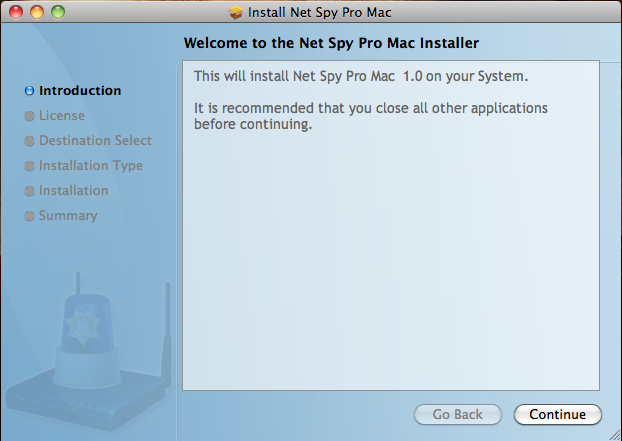
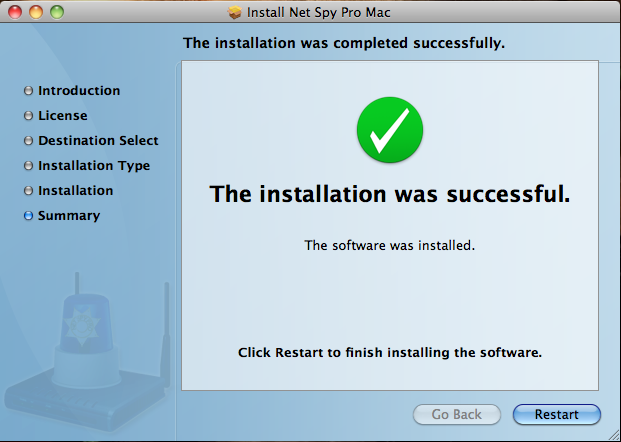
Download the NSPmactrial.zip file and extract the contents to your Mac System. Then run the NetSpyProMac_Trial.pkg file on your Mac. Go through the installer and be sure to admin authenticate any messages that appear during the installation procedure. Restart your Mac to get Net Spy Pro Mac started.


Install NetSpyProMac_Trial.pkg file to other Mac systems you wish to monitor.
Copy the NetSpyProMac_Trial.pkg file to a shared network folder so that you can access it on your network. Then go to all Mac systems and manually install the NetSpyProMac_Trial.pkg file. Restart each Mac after successful installation.

Note: In absence of any shared network , you can install Net Spy Pro Mac through thumb drive also. Refer to the Net Spy Pro Mac user guide for more details.

 
Configure Filter Settings in each monitored Mac system.
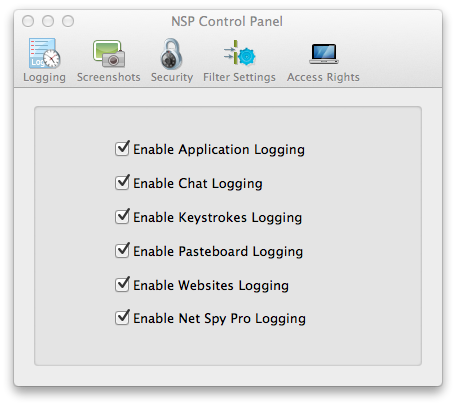
After running Net Spy Pro Mac on each system, the user has to configure settings through Client Admin Panel manually on each system. This is a one-time process, until further configuration changes are required. Refer to the Net Spy Pro Mac user guide for more details.
You MUST restart the machine after the installation is complete for Net Spy Pro Mac program to monitor.
 
Connect to a Mac system from any system.
The Mac network administrator can access every individual Mac within the network by entering the IP address of the particular system. A browser screen will appear asking for the password. After you are logged in, click any of the commands on the Menu bar to utilize the functions on the Mac you are connected to. Refer to the Net Spy Pro Mac user guide for more details.
 

Recent Media Attention to Retina-X Studios Monitoring Products.
System Requirements
For Windows
For Mac
  • Operating System – Windows XP,Windows Vista and Windows 7.
  •  
  • RAM – 512 MB (Recommended, 1 GB RAM).
  •  
  • Free disk space - 50 MB (for installation).
  •  
  • Supports 32-bit & 64-bit PC.
  • Operating System – Mac OS X 10.5 & above.
  •  
  • RAM – 512 MB (Recommended, 1 GB RAM).
  •  
  • Free disk space - 50 MB (for installation).
  •  
  • Supports 32-bit Apple Mac OS X.

Partner Sites: Remote Spy Software | SMS Monitoring | Computer Spy Software